> ## Documentation Index
> Fetch the complete documentation index at: https://docs.sigmamind.ai/llms.txt
> Use this file to discover all available pages before exploring further.
# Test Voice
Use Voice mode to simulate real-time call interactions with your agent before going live.
## How to Test in Voice Mode
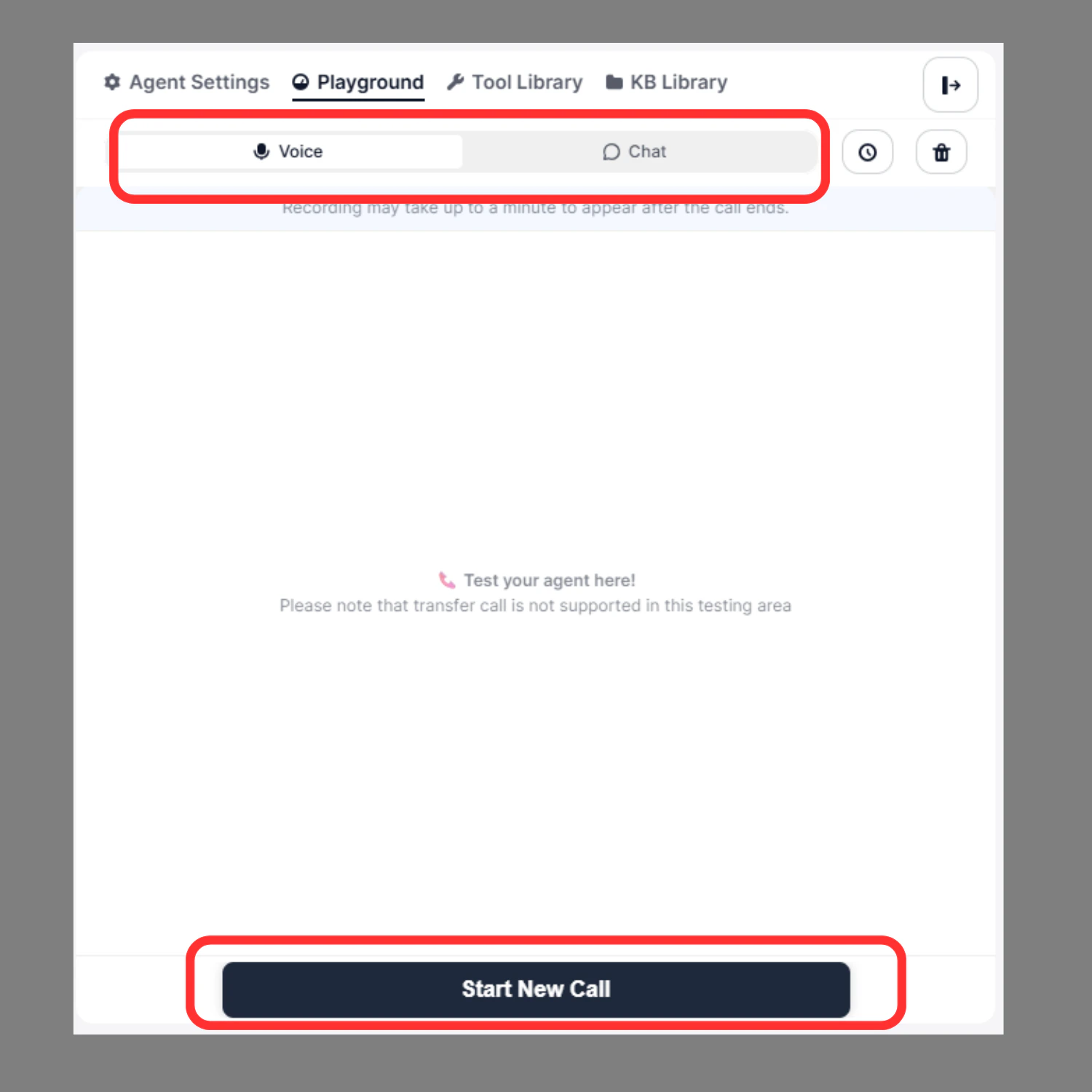
1. Switch to **Voice** tab at the top of the Playground
2. Click **Start New Call** at the bottom
3. **Speak** to the agent as a real caller would
4. **Listen** to the agent's responses in real time
 ***
## After the Call Ends
Once the call completes, you can:
* ▶️ Replay the recording
* ⏩ Adjust playback speed
* ⬇️ Download the audio
* Review node execution logs
***
## Node Execution Trace
Displays the real-time path the agent follows through connected nodes during the call — useful for debugging workflow behavior.
***
## After the Call Ends
Once the call completes, you can:
* ▶️ Replay the recording
* ⏩ Adjust playback speed
* ⬇️ Download the audio
* Review node execution logs
***
## Node Execution Trace
Displays the real-time path the agent follows through connected nodes during the call — useful for debugging workflow behavior.
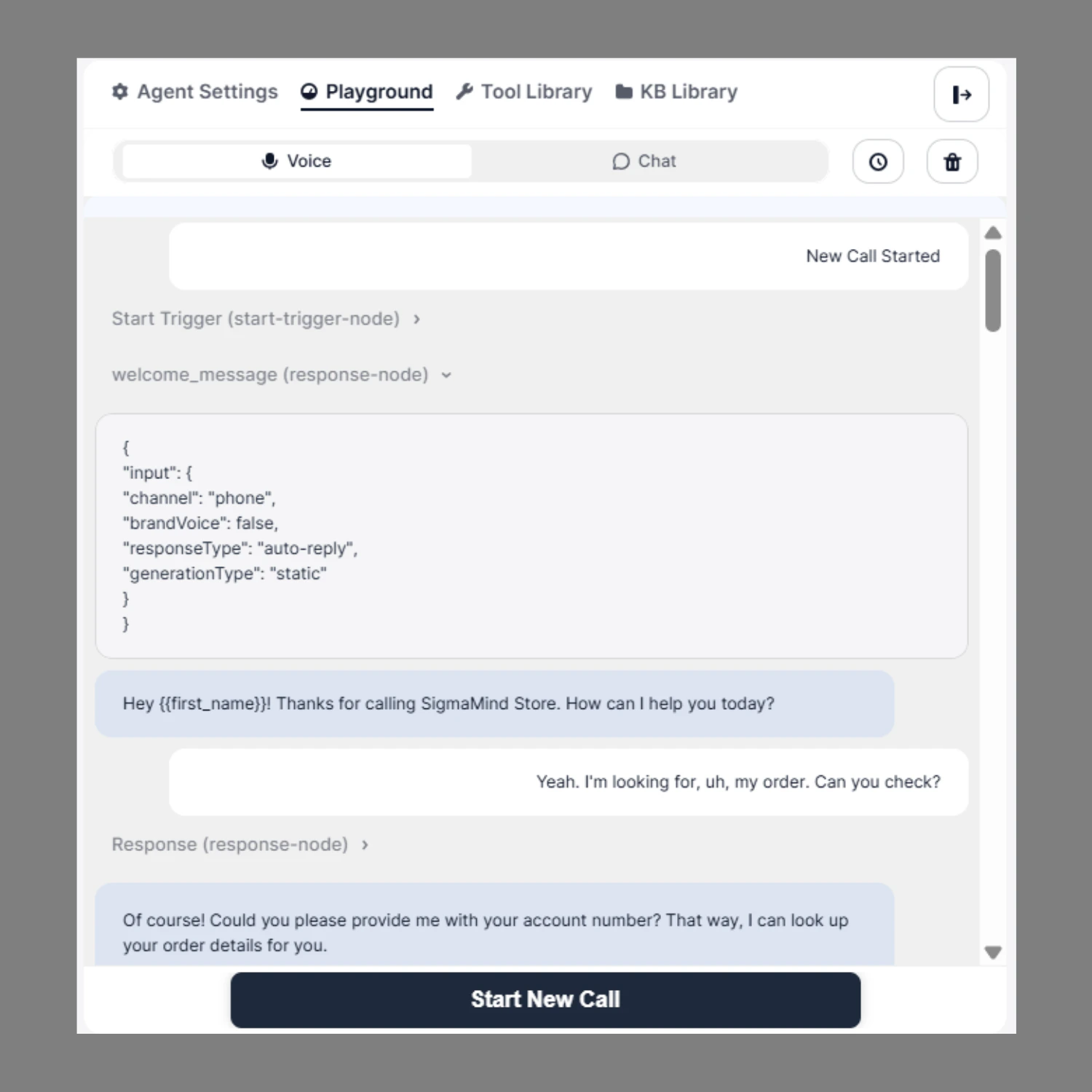 For each step you can see:
* Which node was triggered
* The exact input it received
* The output it generated
* Whether the action executed successfully
Common node types shown:
| Node | Description |
| :------------------- | :------------------------------ |
| `start-trigger-node` | Entry point of the conversation |
| `response-node` | Agent's response step |
| `voice-action-node` | Function or transfer action |
***
## Function Call Logs
When your agent triggers an action (e.g. a transfer or API call), the Playground shows:
* Input payload
* Output response
* Execution status
**Example:**
```text theme={null}
Function Call: VOICE_TRANSFER_CALL (voice-action-node)
Input: { "transfer_to": "+919773216895", "transfer_type": "warm" }
Output: { "response": "Call transferred successfully" }
```
Use this to verify data mapping, variable passing, and integration accuracy.
***
## Test History & Restore
On the right side of the Playground, the **Test History** panel lets you:
For each step you can see:
* Which node was triggered
* The exact input it received
* The output it generated
* Whether the action executed successfully
Common node types shown:
| Node | Description |
| :------------------- | :------------------------------ |
| `start-trigger-node` | Entry point of the conversation |
| `response-node` | Agent's response step |
| `voice-action-node` | Function or transfer action |
***
## Function Call Logs
When your agent triggers an action (e.g. a transfer or API call), the Playground shows:
* Input payload
* Output response
* Execution status
**Example:**
```text theme={null}
Function Call: VOICE_TRANSFER_CALL (voice-action-node)
Input: { "transfer_to": "+919773216895", "transfer_type": "warm" }
Output: { "response": "Call transferred successfully" }
```
Use this to verify data mapping, variable passing, and integration accuracy.
***
## Test History & Restore
On the right side of the Playground, the **Test History** panel lets you:
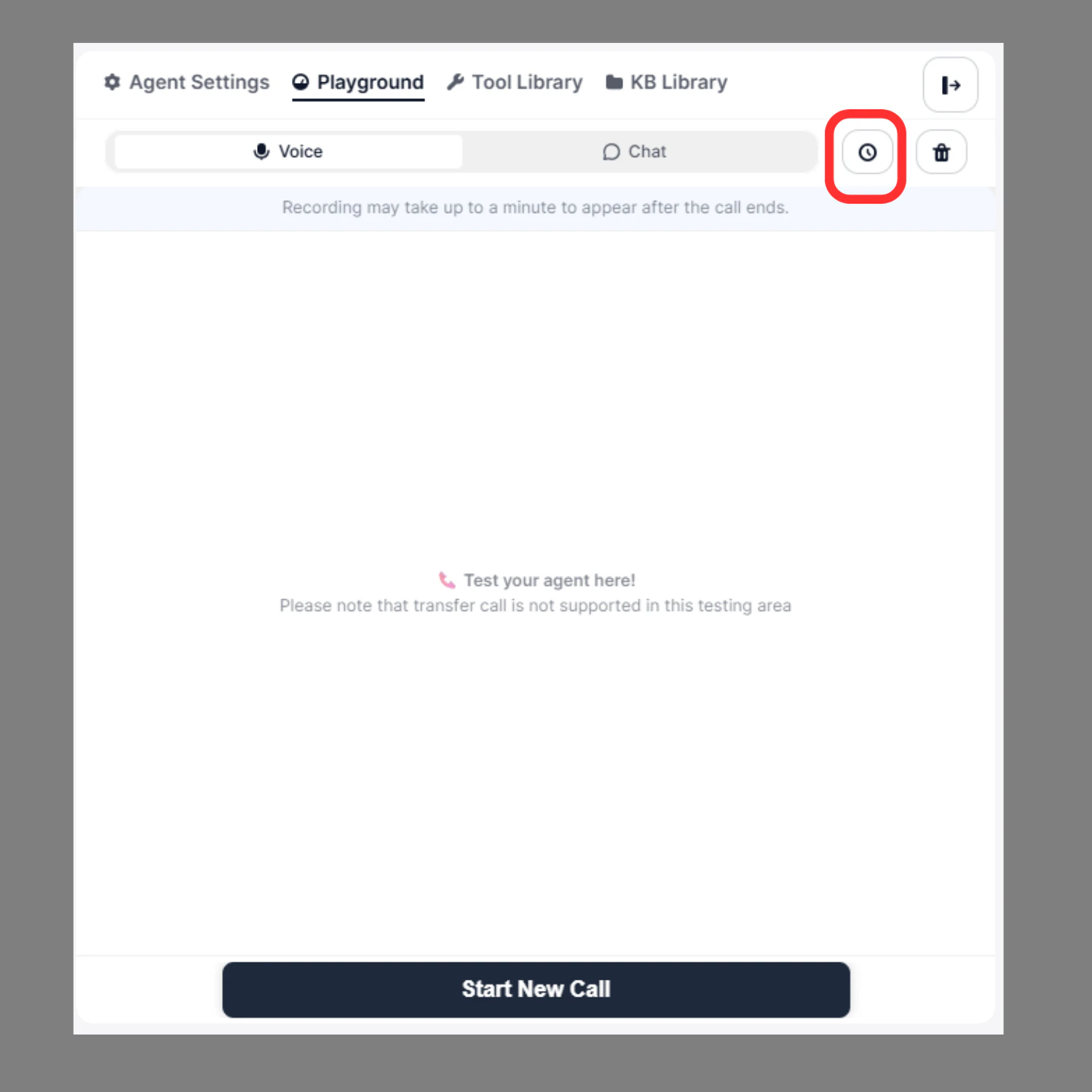 * View all previous test sessions
* Click **Restore** to reload a past conversation
* Re-check transcripts and node execution
Useful for debugging previous issues or validating fixes after making changes.
***
## Real-Time Debugging
If something goes wrong during a test, you can immediately:
* Identify which node failed
* Check incorrect branching
* Inspect variable replacements
* Confirm action execution
Fix the node in **Agent Builder** and retest — without leaving the Playground.
***
## Best Practice
Before deploying your agent, make sure to:
* Test multiple conversation paths
* Trigger all conditional branches
* Validate all integrations
* Replay voice recordings
* Confirm all actions execute successfully
Only deploy after full Playground validation.
* View all previous test sessions
* Click **Restore** to reload a past conversation
* Re-check transcripts and node execution
Useful for debugging previous issues or validating fixes after making changes.
***
## Real-Time Debugging
If something goes wrong during a test, you can immediately:
* Identify which node failed
* Check incorrect branching
* Inspect variable replacements
* Confirm action execution
Fix the node in **Agent Builder** and retest — without leaving the Playground.
***
## Best Practice
Before deploying your agent, make sure to:
* Test multiple conversation paths
* Trigger all conditional branches
* Validate all integrations
* Replay voice recordings
* Confirm all actions execute successfully
Only deploy after full Playground validation.