

- Voice quality and experience
- Response speed and intelligence
- Language understanding and accuracy
- Overall conversation flow
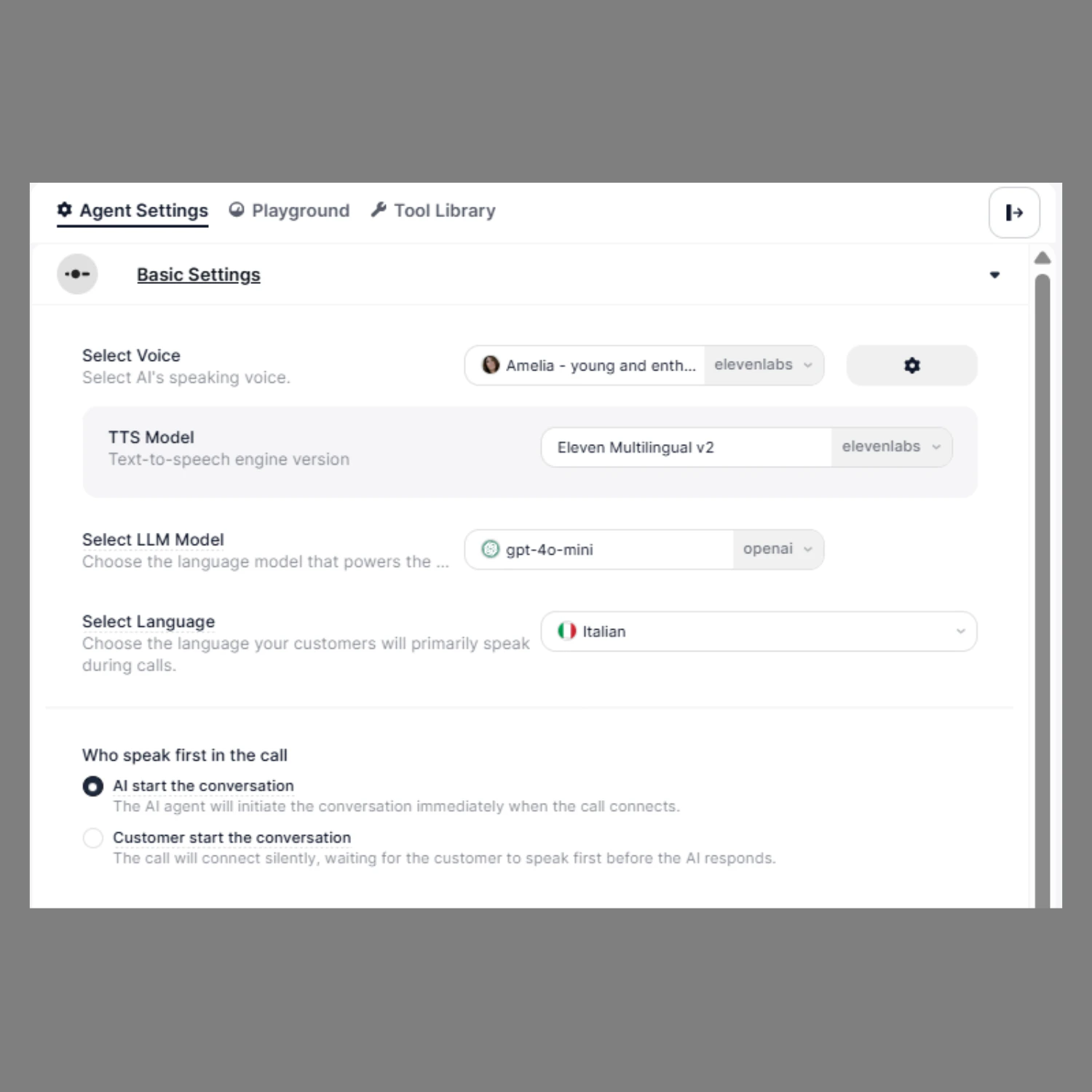
What You Configure Here
You can define:
- How your agent speaks (Voice)
- How your agent thinks (LLM Model)
- Which language it understands
- Who starts the conversation
How to Configure
- Open your agent in the Agent Builder
- From the right-side panel, click on Agent Settings
- In the Basic Settings section, configure Voice, LLM Model, Language, and conversation start preference